Rick Owens Warehouse Status Not Updating After Payment
| Published | |
|---|---|
| Revised | |
| Editors | Maya Chen Editor-in-Chief |
Introduction If you've already paid for Rick Owens items but the fashionreps page or warehouse record still hasn't updated, don't rush to double-pay, cancel the order, or request a re-shipment. This may just be a time lag between payment, order placement, seller shipping, warehouse receipt, and inventory registration, or it could be that order information or specifications weren't fully transmitted. This article addresses only one issue: after payment, the warehouse status still hasn't updated.
Editor score 4.2 / 5
Introduction
If you've already paid for Rick Owens items but the fashionreps page or warehouse record still hasn't updated, don't rush to double-pay, cancel the order, or request a re-shipment. This may just be a time lag between payment, order placement, seller shipping, warehouse receipt, and inventory registration, or it could be that order information or specifications weren't fully transmitted.
This article addresses only one issue: after payment, the warehouse status still hasn't updated. After reading, you should be able to verify order details, save evidence, contact official support, and determine when to wait, provide additional information, or pause further actions. This article does not apply to unconfirmed payments, completely missing order numbers, suspected payment failures, or cases where the package return, refund, or after-sale dispute is already clearly indicated.

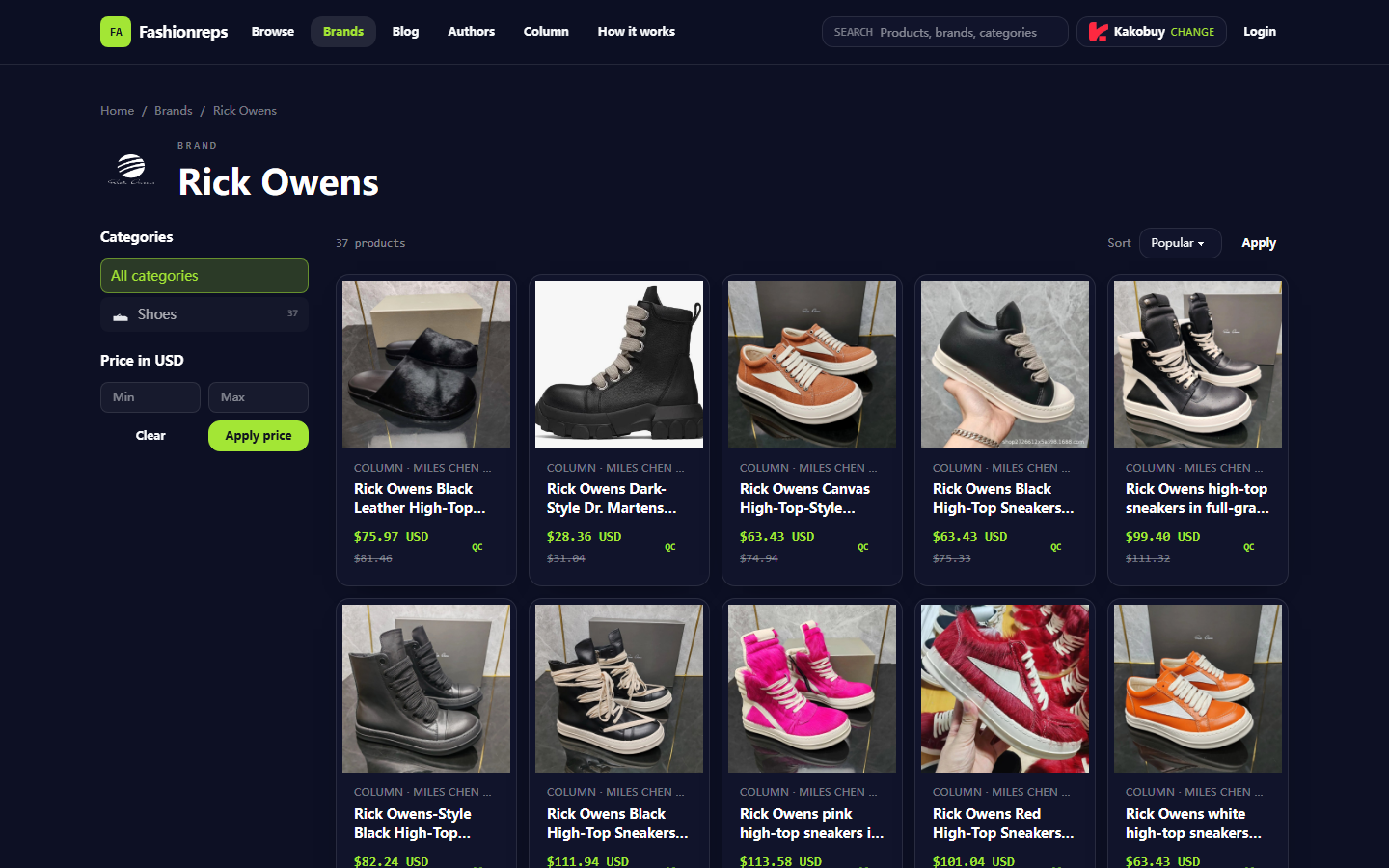
Image: Example of Fashionreps Rick Owens brand page. Product names and reference prices on the page are only for page information recording and do not represent current stock, final transaction price, or warehouse status.
Clarify the Goal of Troubleshooting When Payment Is Made but Warehouse Status Is Not Updated
First, break down "paid" into several different stages:
- Payment platform shows successful deduction.
- Cart or order page shows order created.
- Seller accepts order and prepares to ship.
- Seller provides shipping information or package number.
- Warehouse signs for the package.
- Warehouse completes inventory registration, photography, or quality inspection.
If any of these stages is not completed, you may not see "warehoused" or "inspectable" status. Successful payment alone only proves that a successful record appeared in the payment step; it cannot directly prove that the item has been shipped, the warehouse has received it, or inventory registration is complete.
The goal of troubleshooting is not to guess whether the platform is malfunctioning, but to determine at which stage the order currently stops, and to enable official support to quickly locate it using the order number, payment record, and item specifications. 🔎
Verify Rick Owens Product Page, Order Number, and Specification Records
First, go back to the product page and order record you actually used when placing the order, and check the following items one by one:
- Is the product name indeed the target Rick Owens item, not a similar style or another product record of the same brand?
- Do the color, size, material, quantity, and other custom specifications match what you selected before payment?
- Is the order number complete, and are there multiple similar order numbers?
- Is the shipping address or warehouse address filled in correctly?
- Does the order page show any notes, out-of-stock alerts, specification confirmation, or seller pending information?
- Is the page price only a reference price for the item, not the final amount including domestic shipping, warehousing service fees, international shipping, or taxes?
Fashionreps' brand page can be used to review product names and page structure, but the reference prices, historical prices, or product list information shown on the page cannot alone prove that a particular order has been paid, shipped, or warehoused. Product stock, prices, and link status may change; before publishing, you should rely on your own order record and the current page. The date of this page information verification is October 11, 2026.
If the order details do not show specifications, first save screenshots before and after payment, then ask official support whether they can read the complete specifications from the order backend. Do not resubmit an identical order to "refresh the status," as this may cause duplicate purchases.
Check Whether Payment Status, Order Status, and Warehousing Status Belong to Different Stages
Check each status in chronological order, not just the last notification:
- Open the payment channel and confirm whether the transaction status is success, completed, or only shows authorization or processing.
- Open the order page on fashionreps or the actual purchasing platform, confirm whether the order has been created, and note the specific wording used for the order status.
- Check for seller confirmation, pending shipment, shipped, or logistics tracking number.
- Check whether the warehouse page shows signed, pending warehousing, warehoused, pending quality inspection, or other similar statuses.
- Compare the update times of each status to determine whether payment was completed first, order created later, or warehouse record updated but frontend page not synchronized.
Common stage differences include:
- Payment successful, but order still waiting for seller confirmation.
- Order confirmed, but seller has not shipped.
- Seller has shipped, but warehouse has not signed.
- Warehouse has signed, but inventory registration is not complete.
- Item warehoused, but waiting for QC photos or manual processing.
- Order number, package number, and warehouse intake number exist separately, but page does not merge them.
If you only see that the page hasn't changed, but the payment channel and order backend have continuous records, don't jump to the conclusion that the order is lost. Conversely, if after successful payment there is no order number at all, no order record, or the deduction is later reversed, you should prioritize handling payment and order creation issues rather than waiting for warehouse updates. 💳
Save Order, Payment, and Warehouse Page Evidence in Chronological Order
It is recommended to create a simple timeline, recording at least the following fields:
- Payment time and timezone.
- Transaction status shown by payment channel.
- Order creation time and order number.
- Product name, color, size, quantity, and specifications.
- Seller confirmation or shipment time.
- Logistics tracking number and its first appearance time.
- Last update time of warehouse signing or warehousing status.
- Time you contacted support and the response received.
When taking screenshots, make sure the order number, product specifications, status text, and time information are all visible at the same time. For payment screenshots, only keep the information needed for locating the issue, and cover the full bank card number, verification code, login credentials, personal address, phone number, and other unrelated private information. Do not publicly share the full shipping label, passport, or payment card information. 🛡️
File names can use the format "datelast four digits of order numberpage type", for example "2026-10-114821payment". If the order number is sensitive, you can keep only the last four digits in the local file name, but when sending to official support, you should still submit the full order number through their official channel.
Exclude Page Refresh, Status Delay, and Missing Information Fields
Before contacting customer service, you can perform several low-risk checks:
- Log out and log back in, then open the order details.
- View the order using the same account and the same purchasing platform, do not mix different proxy platform backends.
- Check whether the order page, warehouse page, and notification center show different statuses.
- Confirm that filter conditions are not hiding the order, such as time range, completed orders, or warehouse filters.
- Record the page's last update time, not just the time you refreshed the page.
- Check for maintenance notices, identity verification prompts, or messages requiring additional specifications.
- If the page shows an error, save the error text and time, but do not repeatedly click payment or submit order buttons.
Refreshing the page can only rule out that the frontend display hasn't updated; it cannot prove that the backend has completed warehousing. Also, do not interpret the absence of a logistics tracking number as definitely not shipped, because seller shipping, logistics entry, and warehouse scanning may be three different actions.
If the wait time has clearly exceeded the processing time limit given by the page or customer service, or the status has not changed for several consecutive work cycles, you should prepare evidence and formally inquire. Do not create new orders to test whether the system is normal. ⏳
Screenshots and Problem Description to Prepare When Contacting Official Support
When contacting, use the official support entry provided on the fashionreps page or the official customer service of the purchasing platform to which the order belongs. Do not send order information to unofficial personal accounts. The problem description should be brief, factually ordered, and clearly state what you want them to check.
You can include the following:
- Order number.
- Product name and specifications.
- Payment completion time and status shown by payment channel.
- Current order status and warehouse status.
- Seller shipping information or logistics tracking number, if any.
- Page last update time.
- Whether you want to confirm if the order has been created, seller has shipped, warehouse has signed, or inventory registration is not complete.
You can refer to the following expression:
"Order number is ……, item is Rick Owens……. Payment channel shows payment success at ……, order page last updated at ……, but warehouse page still shows …… . Please confirm whether the order has been created, seller has shipped, warehouse has signed, and whether I need to provide additional specifications or materials. Attachments have covered irrelevant personal information."
If customer service requests payment proof, only submit the necessary information explicitly required by the official channel. Do not send payment passwords, SMS verification codes, complete bank card information, or account login credentials. After receiving a reply, record the estimated processing time, next steps, and required materials given by customer service to avoid resubmitting the same issue.
Conditions for Pausing Operations Before Warehousing Is Confirmed
Before the following situations are clearly confirmed, it is recommended to pause related subsequent operations:
- Do not repeat payment or recreate the same order.
- Do not change size, color, or item without confirming inventory.
- Do not request consolidation, forwarding, or international shipping.
- Do not delete the order, cancel after-sale, or close dispute records.
- Do not arrange for items with unconfirmed warehousing to be shipped out together with other packages.
- Do not judge by yourself from a single payment screenshot that the item has passed warehouse inspection.
Especially when there are conflicts in product specifications, order number, or shipping address, first have official support confirm the backend record, then decide whether to modify the order. If the page clearly shows payment failure, order nonexistent, refund processing, or inconsistent payee, stop further operations and prioritize payment verification.
If official confirmation says the item has been warehoused but QC photos have not been generated, continue waiting or ask about photo processing time; if official confirmation says the item has not been shipped, ask about seller processing time and available cancellation or refund rules. Different stages require different handling methods and cannot be mixed. ✅
Final Actions: Re-check, Follow Up, or Wait for Status Update
After completing troubleshooting, act according to the following results:
- Payment successful, order exists, seller not shipped: wait for seller processing and record the time limit given by official.
- Payment successful, seller shipped, warehouse not signed: save logistics evidence and ask warehouse if they can query by tracking number.
- Warehouse signed, warehousing incomplete: ask about estimated time for inventory registration or QC photos.
- Order information missing or specifications inconsistent: pause duplicate orders and request official check of backend records.
- Payment status unclear or reversed: first confirm payment result, then handle order issues.
- No update after exceeding official time limit: do a complete follow-up using the original order number and existing timeline, avoid creating duplicate tickets.
This troubleshooting process cannot guarantee immediate status update, nor can it prove product inventory, price, or seller performance. Its purpose is to break down "paid but no change" into verifiable stages, reducing risks of duplicate payment, erroneous cancellation, and shipping before warehousing is confirmed.
Agent Platform Shopping FAQ
1. Why are spreadsheets so important on repgalaxy.tips?
Since agent platforms typically do not display products directly, you need spreadsheets to search for desired items and get purchase links. You can also ask for help on Reddit or Discord; these platforms often recommend good products, but the shopping process can be quite slow. These spreadsheets are generally compiled from long-term information collection from these platforms.
2. What are the QC photos mentioned on repgalaxy.tips?
All agent platforms have professional quality inspection teams. When your item arrives at the platform warehouse, the platform performs quality checks and takes QC photos. Usually three photos are taken, and the team checks whether the color, size, specifications, and quantity match the order, and also checks for quality issues. However, electronics are excepted; only appearance is checked. If quality issues or wrong size/color are found, the team will immediately apply for a return to the seller to ensure you receive a good product.
3. How to effectively view QC photos on repgalaxy.tips?
When viewing QC photos, focus on the specific features of the purchased product. For example, for shoes, check several key parts—toe box, heel, and tongue—looking at stitching, shoe shape, and tongue thickness to determine if they are high-quality shoes. For clothing, check details such as collar labels, logo embroidery, fabric, and the flatness of collars and cuffs.
4. Which platform's coupons are the most cost-effective on repgalaxy.tips?
I recommend Kakobuy because it currently offers a $15 discount code with no minimum purchase requirement. It's very cost-effective for users ordering small packages. The coupon code is kakobuy888.