mastermind world: FashionReps vs. Agent – Keep QC Requests?
| Published | |
|---|---|
| Revised | |
| Editors | Maya Chen Editor-in-Chief |
Bottom Line First If your core question is "can warehouse inspection requests and packing notes be preserved all the way through after submitting a fashionreps item to Kakobuy", the evidence provided is insufficient to confirm that Kakobuy's official pages have corresponding fixed fields, fee items, or status flows. What can be confirmed is that fashionreps product pages provide an entry to view product information and QC pages for style checking; but this cannot
Editor score 4.2 / 5
Bottom Line First
If your core question is "can warehouse inspection requests and packing notes be preserved all the way through after submitting a fashionreps item to Kakobuy", the evidence provided is insufficient to confirm that Kakobuy's official pages have corresponding fixed fields, fee items, or status flows. What can be confirmed is that fashionreps product pages provide an entry to view product information and QC pages for style checking; but this cannot replace functional evidence from Kakobuy's official order, warehouse, or packing pages.
Therefore, before submitting, you should record inspection requirements and packing requirements separately, and verify item by item on Kakobuy's actual pages whether there are positions that can be saved, modified, and tracked. Any field without official page evidence should not be considered a supported feature.
What This Comparison Really Needs to Verify
The comparison here is not about product appearance, nor about prices of different agents, but about whether, when Kakobuy processes a specific product, the following information can carry over from the submission stage to the warehouse and packing stages:
- Whether the product link can be parsed correctly.
- Whether color and size can be clearly displayed in the order.
- Whether purchase notes can be saved with the order.
- Whether warehouse inspection requests have an independent entry or trackable status.
- Whether package packing notes can be filled in again when submitting packing.
- Whether submitted requirements can be reviewed in order details or warehouse records.
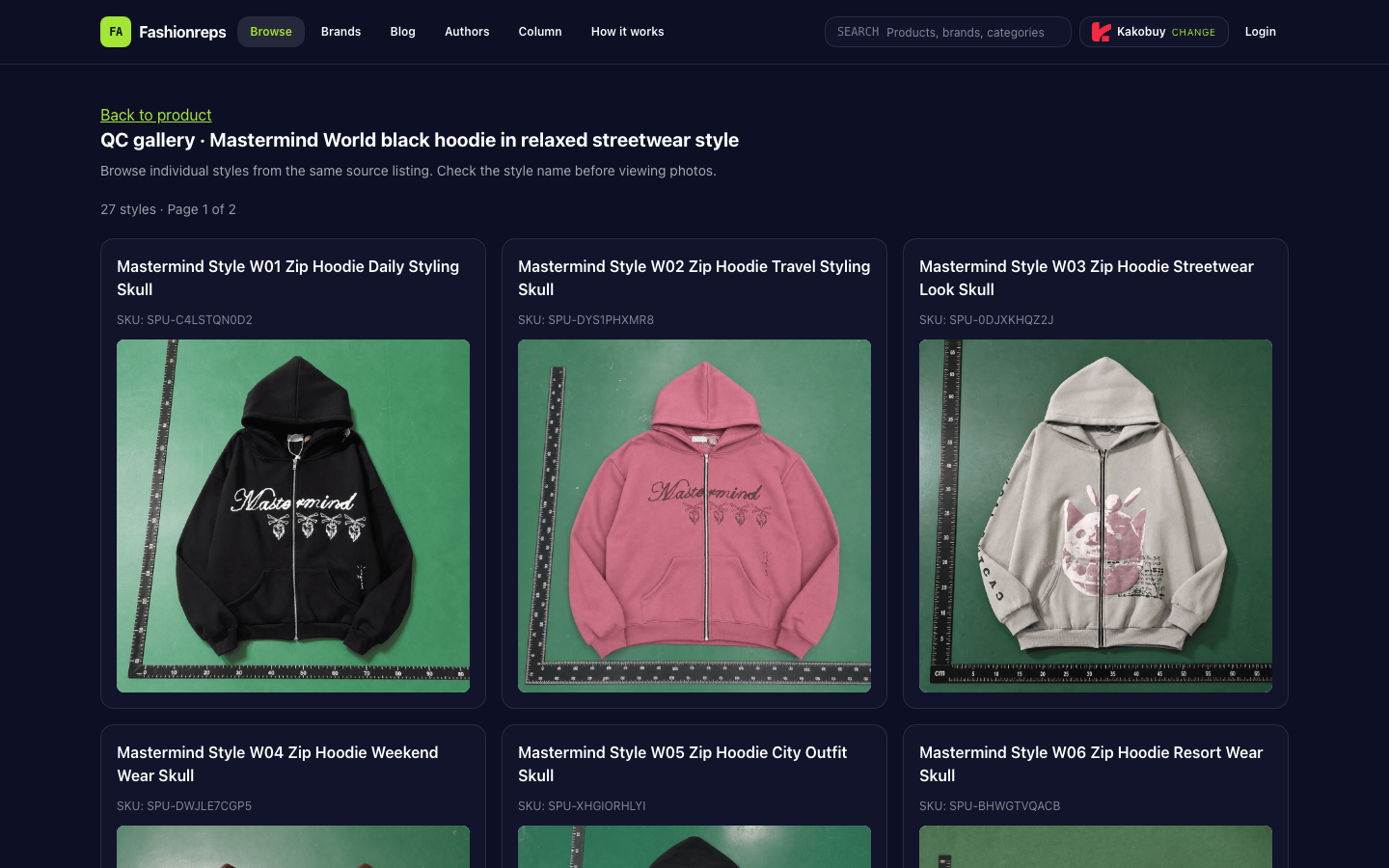
The product page currently shows multiple style numbers, indicating that the same source may correspond to different styles. Before submitting, you should first confirm the specific style, then write down color, size, and inspection focus as separate pieces of information to avoid relying solely on a vague product title.
Check Kakobuy in Three Stages
| Stage | What to Record | Conclusion We Can Draw Now | Still Needs Confirmation on Kakobuy Official Pages |
|---|---|---|---|
| Product Submission | Product link, specific style, color, size, purchase notes | Source page has style selection information | Whether these fields are preserved after link parsing, whether notes enter the order |
| Warehouse Processing | Inspection focus, photo requirements, issue feedback | Source page has QC-related pages, but this does not equal confirmed Kakobuy warehouse service | Whether there is an inspection request entry, fee field, processing status, and modification deadline |
| Packing Confirmation | Requirements such as consolidation, protection, removal of packaging | Currently insufficient official evidence to prove that a certain packing field is available | Whether notes can be filled in, whether they can be reviewed, and whether they can be modified after submission |
Stage One: Submitting the Product
First copy the product link, then check the style information in Kakobuy's parsing result. Do not just check whether the product name appears; also confirm whether the parsed color and size match the original page selection.
Purchase notes should be written as executable short sentences, for example, request confirmation of the size tag, check for obvious damage on major surfaces, and note "if unable to complete, please explain in the order status." These texts are only records at the time of submission and cannot be used to assert that Kakobuy will definitely execute or provide feedback.
If Kakobuy's page does not show a note field, or if the note is not visible in the order details after submission, then that requirement should be considered unconfirmed for retention, not assumed to be passed along with the link.
Stage Two: Warehouse Inspection
At the warehouse stage, distinguish between two types of information: one is the platform's routine inspection or QC service, and the other is additional inspection requests made by the buyer for a specific product. The QC page on the source page only proves that QC content related to the product exists; it does not prove that Kakobuy will automatically read that page, nor does it prove that the custom requirements submitted by the buyer in Kakobuy will be executed by the warehouse.
When checking Kakobuy's official pages, focus on finding the following visible evidence:
- Whether order details show inspection or QC fields.
- Whether you can upload or select additional inspection requirements.
- Whether service fees or applicable conditions are displayed.
- Whether a clear status appears after the warehouse receives the product.
- Whether you can view corresponding records or photos after the inspection is completed.
If the page only shows "received" without inspection requests, processing status, or result records, you can only confirm that the product has entered the warehouse process, not that the additional inspection requirements have been completed.
Stage Three: Packing Confirmation
Packing notes are not the same as purchase notes. Purchase notes usually target the product itself, while packing notes target package handling. Even if text is successfully saved when submitting the product, it cannot be inferred that these contents will automatically appear on the consolidation or international shipping page.
Before submitting packing, you should re-check whether there is an independent package note area and whether the page displays already saved requirements. For matters such as removing packaging, adding protection, or consolidating packages, you can only write them as platform-supported processes if Kakobuy's official pages clearly show corresponding options or fields.
If the page has no relevant fields, the safest approach is to stop making specific promises and confirm through the platform's official customer service or order support channels. Do not infer Kakobuy's handling based solely on common practices of other agents.
How to Judge That "Notes Are Preserved"
"Preserved" should meet at least three conditions: visible after submission, trackable during processing, and reviewable in the next stage. Only writing text in an input box but not being able to view it after submission does not count as trackable; being visible in order details but having no corresponding status at the warehouse stage does not count as executed.
You can use the following recording method:
- Before submitting, save the product link, style, color, size, and the original text of the notes.
- After submission, open the order details and check whether these contents are still displayed.
- After the product is received, check whether inspection requests, processing status, or result records appear.
- Go to the packing page and confirm whether package notes need to be re-entered.
- Before payment or submission for shipping, re-check whether the final page displays the relevant requirements.
- For requirements without status, results, or review entry, mark them as pending confirmation and do not treat them as completed.
Practical Judgment on Choosing Kakobuy This Time
If what you care most about is the traceability of warehouse inspection and packing notes, before choosing Kakobuy you should prioritize confirming whether the record chain is complete, rather than just looking at whether the product link can be successfully imported. The ideal state is: product submission has notes, after receiving there is an inspection request or status, and at packing there is an independent package handling field, and each step can be reviewed.
The materials provided so far are insufficient to prove that Kakobuy's official process already has the above complete record chain, nor sufficient to confirm any specific fees, inventory, processing time limits, or packing functions. Therefore, the reliable conclusion this article can give is: first check item by item according to the three stages of product submission, warehouse processing, and packing confirmation; anything without official page fields or status support should be kept as pending confirmation.
This also means that whether the brand product in the title is suitable for submission through Kakobuy cannot be judged solely by fashionreps' product page or QC page. What truly determines whether the process is usable is whether Kakobuy's current order and warehouse pages can save and display your specific requirements.
Article Image
